
TF Card Versus MicroSD: Deconstructing the Terminology of Removable Flash Storage
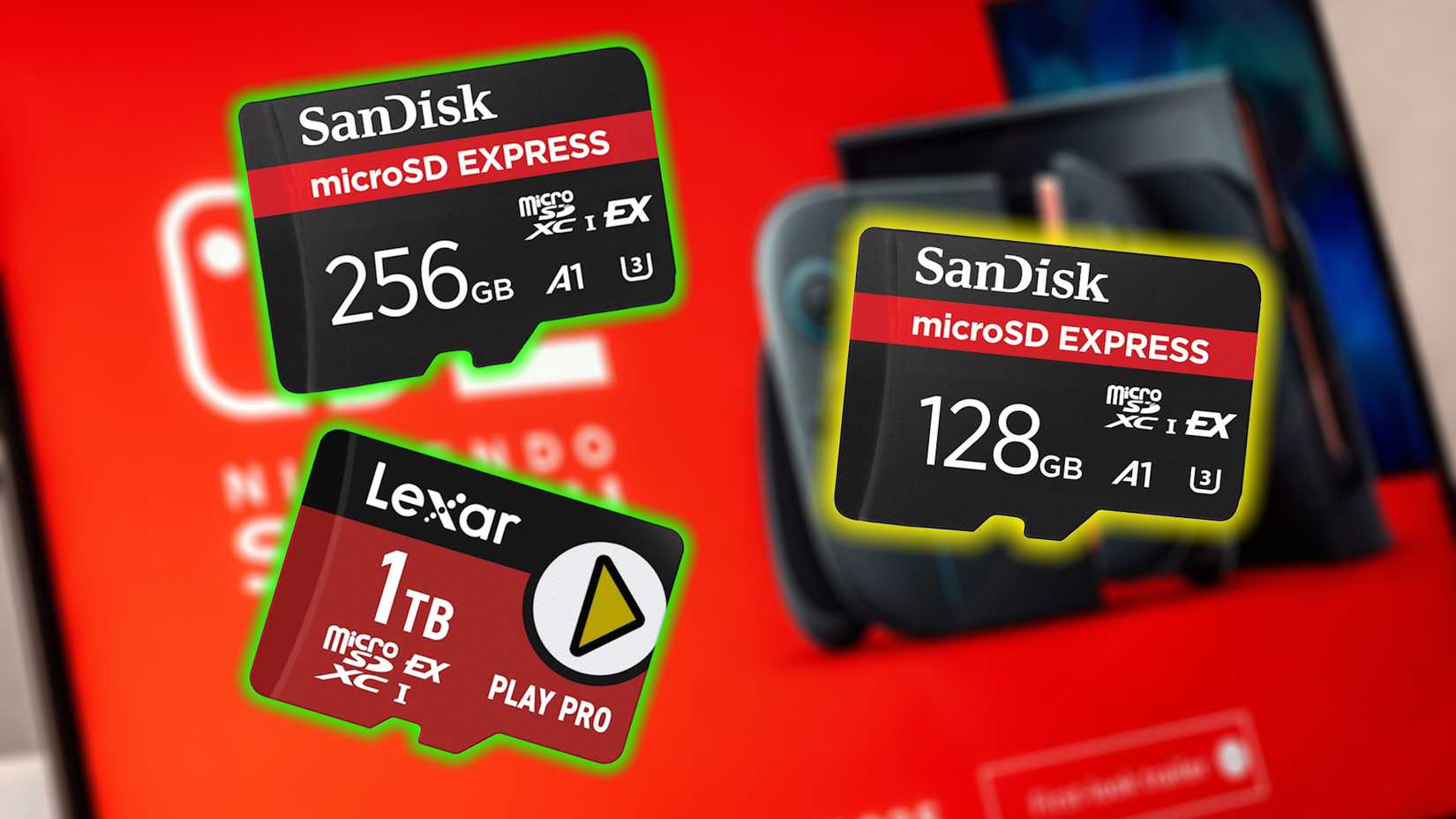
While navigating the market for flash storage, consumers frequently encounter two terms that appear to describe the same compact memory module: TF card and microSD card. This redundancy is not a matter of different standards but of historical naming conventions and subsequent industry standardization.
The Identity of TF Cards and MicroSD Cards
The Short Answer: They Are Functionally Identical
A TF card is the original commercial name for the memory format that is now universally known as a microSD card. The acronym TF stands for TransFlash. Launched jointly by Motorola and SanDisk in 2004, the TransFlash card was initially positioned as a highly compact external storage solution for mobile phones.
Although it supported the same underlying specifications as the Secure Digital (SD) standard, the TransFlash card was a separate product class. Later in 2004, the SD Association (Secure Digital Association) adopted the TransFlash format and officially rebranded it as the microSD card, integrating it fully into the established SD memory card standard. This standardization affirmed that both terms refer to the same physical module.
Consequently, TF cards and microSD cards are fully interchangeable. Any device with a microSD slot can use a TF card, and vice versa. Furthermore, both can be utilized in devices requiring a full-sized SD card via a readily available SD card adapter, maintaining the same performance metrics (speed, capacity) as defined by their subsequent SD standards.
|
Card Type |
Description |
|---|---|
|
TF Card |
TF card is short for TransFlash card. Motorola and SanDisk introduced this external storage card in 2004 as a competitor to SD cards. Although SD cards were the standard at the time, they were bulky and had lower writing speeds compared to newer generations. TF cards were designed to be more compact and faster than SD cards, while maintaining their functionality. It means you can use a TF memory card in your digital camera, Steam Deck, or any gadget that uses an SD card by using an SD card adapter. |
|
microSD Card |
microSD cards are TF cards under a different name. In 2004, when Motorola and SanDisk released the TF card, it was launched as a separate, standalone product. Aside from the fact that TF cards supported the same standard specifications as an SD card (except for size), TF cards were a separate, non-standardized product class. |
Distinction from Universal Flash Storage (UFS) Cards
A Separate Standard with a Different Bus Interface
A true point of distinction in removable storage technology is the Universal Flash Storage (UFS) card. UFS cards are a newer, higher-performance format that differs fundamentally from the SD/microSD standard, primarily in its interface architecture.
- Speed Advantage: UFS cards utilize a serial interface and support concurrent read/write operations (Full-Duplex), offering significantly faster data transfer rates compared to the parallel, half-duplex SD card bus. This makes UFS ideal for demanding tasks like high-resolution video recording (4K/8K) and next-generation mobile applications.
- Incompatibility: The primary difference is the interface. UFS cards use a different set of electrical contacts and bus protocol than SD/microSD cards. Therefore, a UFS card will not fit or function in a standard microSD slot, and vice-versa. Device compatibility must be explicitly checked (e.g., some high-end Samsung smartphones and tablets support UFS).
|
Card Type |
Standard |
Maximum Theoretical Read Speed |
Maximum Theoretical Write Speed |
Interface |
|---|---|---|---|---|
|
SD/microSD |
SD (Standard) |
Up to 25 MB/s |
Up to 12.5 MB/s |
SD Bus |
|
SD/microSD |
SDHC (UHS-I) |
Up to 104 MB/s |
Up to 104 MB/s |
UHS-I (Ultra High Speed) |
|
SD/microSD |
SDXC (UHS-I) |
Up to 104 MB/s |
Up to 104 MB/s |
UHS-I |
|
SD/microSD |
SDXC (UHS-II) |
Up to 312 MB/s |
Up to 312 MB/s |
UHS-II (Ultra High Speed) |
|
SD/microSD |
SDXC (UHS-III) |
Up to 624 MB/s |
Up to 624 MB/s |
UHS-III |
|
SD/microSD |
SD Express |
Up to 985 MB/s |
Up to 985 MB/s |
PCIe/NVMe |
|
UFS |
UFS 1.0 Card |
Up to 530 MB/s |
Up to 170 MB/s |
UFS Interface |
|
UFS |
UFS 2.0 |
Up to 1.2 GB/s (1200 MB/s) |
Up to 1.2 GB/s (1200 MB/s) |
UFS Interface |
|
UFS |
UFS 3.0 |
Up to 2.9 GB/s (2900 MB/s) |
Up to 2.9 GB/s (2900 MB/s) |
UFS Interface |
|
UFS |
UFS 3.1 |
Up to 6 GB/s (6000 MB/s) |
Up to 3 GB/s (3000 MB/s) |
UFS Interface |
|
UFS |
UFS 4.0 (Expected) |
Over 4 GB/s (4000 MB/s) per lane |
Over 4 GB/s (4000 MB/s) per lane |
UFS Interface |
Navigating MicroSD Capacity and Speed Specifications
Capacity Formats and Backward Compatibility
The microSD standard itself is broken down into several format standards based on capacity, which dictates backward compatibility:
- SD (Secure Digital): Up to 2GB. Compatible with all SD, SDHC, and SDXC slots.
- SDHC (Secure Digital High Capacity): 4GB to 32GB. Works only in SDHC and SDXC slots (requires support for a FAT32 file system).
- SDXC (Secure Digital eXtended Capacity): 64GB to 2TB. Works only in SDXC slots (requires support for the exFAT file system).
- SDUC (Secure Digital Ultra Capacity): 2TB to 128TB. Requires SDUC-specific support.
The general rule is: Newer cards do not work in older device slots, but older cards generally work in newer device slots.
|
Type / Format |
Capacity Range |
|---|---|
|
microSD/SD (Secure Digital) |
Up to 2GB |
|
microSDHC/SDHC (Secure Digital High Capacity) |
4GB – 32GB |
|
microSDXC/SDXC (Secure Digital eXtended Capacity) |
64GB – 2TB |
|
microSDUC/SDUC (Secure Digital Ultra Capacity) |
2TB – 128TB (rare) |
Speed Class Ratings for Performance
To ensure guaranteed performance for applications like continuous video recording, the SD Association created various speed rating standards:
- Speed Class (C): Guarantees a minimum sequential write speed (e.g., C10 guarantees 10 MB/s).
- UHS Speed Class (U): Used with UHS bus interfaces (UHS-I, UHS-II, UHS-III) and guarantees minimum write speed (U3 guarantees 30 MB/s).
- Video Speed Class (V): Designed specifically for video recording, supporting higher resolutions and frame rates (V90 guarantees 90 MB/s).
|
Standard |
Class / Rating |
Minimum Write Speed |
Typical Use Case |
|---|---|---|---|
|
Speed Class |
C2 |
2 MB/s |
Basic still photos, SD video |
|
C4 |
4 MB/s |
Entry-level HD video |
|
|
C6 |
6 MB/s |
Standard HD video recording |
|
|
C10 |
10 MB/s |
Full HD video, fast photo capture |
|
|
UHS Speed Class |
U1 |
10 MB/s |
Full HD video, light 4K |
|
U3 |
30 MB/s |
4K video, burst photography |
|
|
Video Speed Class |
V6 |
6 MB/s |
SD / HD video |
|
V10 |
10 MB/s |
Full HD video |
|
|
V30 |
30 MB/s |
4K video (most common) |
|
|
V60 |
60 MB/s |
4K/6K video, high-bitrate |
|
|
V90 |
90 MB/s |
8K video, pro workflows |
For high-demand applications, consumers must check that both the card format (HC, XC, UC) and the speed class (U3, V60, etc.) are supported by the host device to ensure stable performance and maximum compatibility.
FAQs on Memory Card Standards
Why do retailers still use the term 'TF Card' if it's the same as microSD?
The continued use of "TF Card" is largely due to legacy brand recognition and marketing, particularly among non-Western online retailers. It acts as a synonym for microSD, sometimes used to differentiate between the generic form factor and the standardized microSD product lines, although technically they are the same product standard.
Is it possible to use a UFS card in a microSD slot with an adapter?
No. Unlike the relationship between microSD and full-sized SD cards, UFS cards utilize a completely different electrical and protocol interface (UFS bus, supporting full-duplex communication) than the SD bus. The two standards are physically and electronically incompatible, meaning no adapter can bridge the technological gap.
How does SD Express compare to UFS in terms of performance?
SD Express is the SD Association's attempt to bridge the performance gap with UFS. It integrates the high-speed PCIe and NVMe interfaces into the traditional SD card form factor. While SD Express can achieve comparable read/write speeds (up to ~1GB/s, depending on the standard) to early UFS versions, UFS (especially UFS 3.1 and 4.0) currently maintains the lead in overall theoretical maximum throughput and full-duplex capability.
Posting Komentar untuk "TF Card Versus MicroSD: Deconstructing the Terminology of Removable Flash Storage"